

400 字
2 分钟
vue使用vant的list组件使用

本文同步自 CSDN · 清阿哥,原文发布于 2020-05-26。
模板代码
<van-pull-refresh v-model="refreshing" @refresh="onRefresh"> <van-list v-model="loading" :finished="finished" :finished-text="finishedText" @load="pullupLoadMore" :immediate-check="false" :error.sync="error" error-text="请求失败,点击重新加载" > <ul v-for="(item,id) in allHouseDetail" :key="id" > <li @click="chooseRoom(item.roomAddress,item)">{{ item.roomAddress }}</li> </ul> </van-list></van-pull-refresh>js代码
data () { return { allHouseDetail: [], // 所有房屋数据 loading: false, // 是否处在加载状态 finished: false, // 是否完成加载 finishedText: '', // 加载完毕文本提示 page: 1, // 当前页码 page_size: 100, // 每页多少条 total: 0, // 总条数 error: false, // 错误提示 refreshing: false, // 下拉刷新 }; },methods: { getHouseDetail () { this.communityId = JSON.parse(localStorage.getItem('areaDetail')).areaId this.areaName = JSON.parse(localStorage.getItem('areaDetail')).areaName this.$http({ method: 'post', url: '你的请求路径', data: { communityId: this.communityId, page: this.page, limit: this.page_size } }).then(res => {try { if (res.returnCode == 10001) { if (this.refreshing) { // 下拉刷新 this.allHouseDetail = []; this.refreshing = false; } if (this.page == 1) { this.loading = false this.allHouseDetail = res.data this.total = res.total; } else { this.loading = false this.allHouseDetail = this.allHouseDetail.concat(res.data) this.total = res.total; } if (res.data.length == 0) { this.finished = true; this.finishedText = '暂无数据'; } else if (res.data.length < this.page_size) { this.finished = true; this.finishedText = '没有更多啦'; } } else { Toast.fail(res.returnMsg); }} catch { this.error = true; } })},pullupLoadMore () { // 上拉加载更多 this.page++; this.getHouseDetail();},onRefresh () { // 下拉刷新 this.finished = false; this.loading = true; this.refreshing = true this.page = 1 this.getHouseDetail();},}遇到的问题
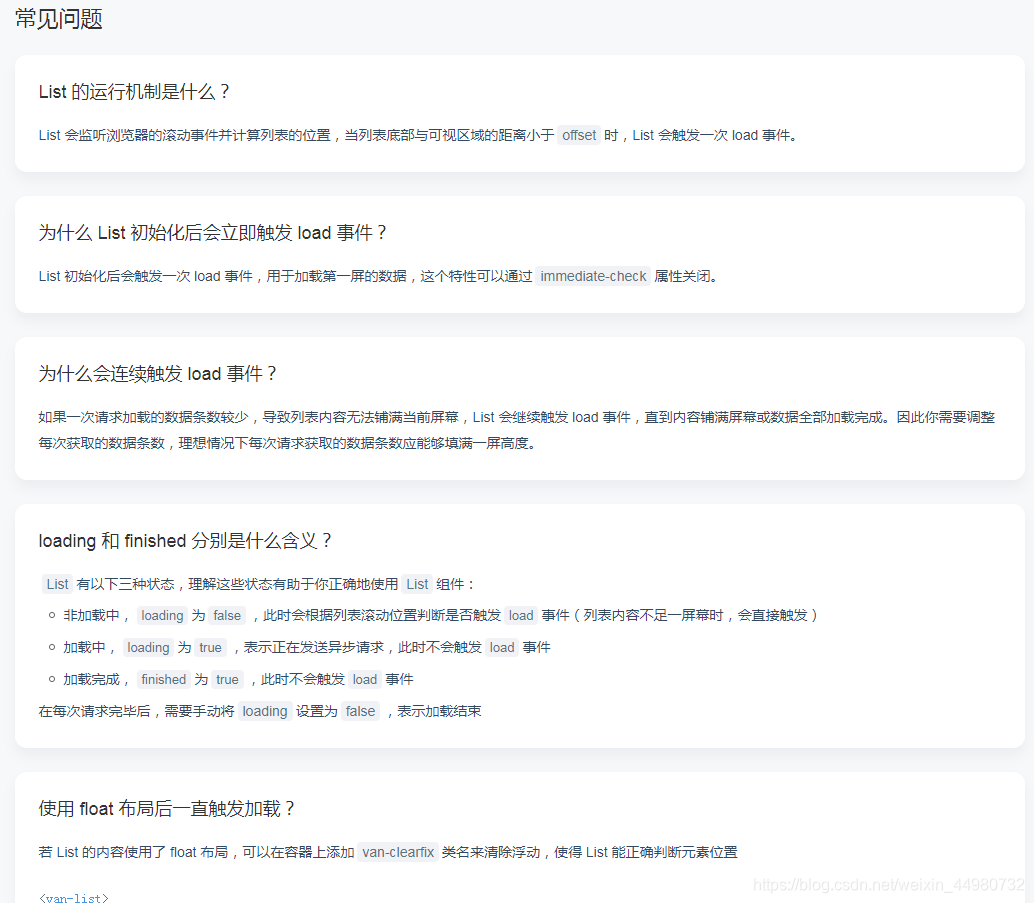
进入页面load事件就触发了
- 根据vant官方哪个提示,在模板中添加
=“false” 即可关闭初始化时改事件的触发
ps
今天才发现vant 的list组件 对常见的使用问题下面有提示、
好了总结完毕!有什么问题可以留言一起交流下。
vue使用vant的list组件使用
https://blog.hhq688.com/posts/vue使用vant的list组件使用-106358727/ 

评论
评论加载中…